
Download PDF Toolbox – free PDF editor, merge, encrypt tool
Overview
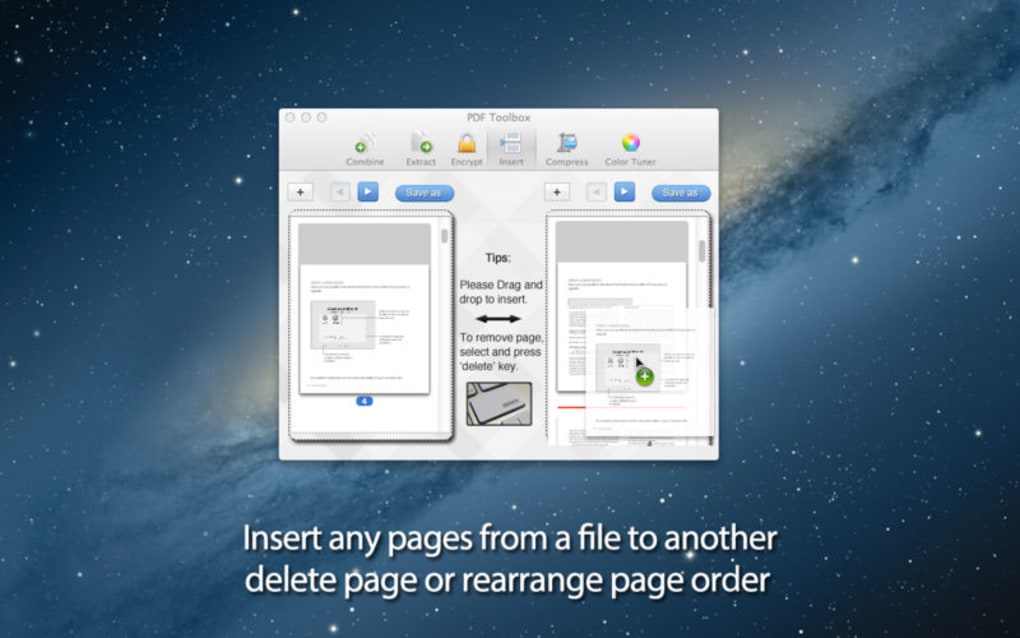
PDF Toolbox is a lightweight yet powerful utility designed for everyday PDF manipulation. Whether you need to merge several reports into a single document, extract specific pages for a presentation, or protect sensitive information with password encryption, PDF Toolbox covers the core tasks without the bloat of enterprise‑level suites. The interface is built around clarity: icons and drag‑and‑drop zones guide users through each operation, while built‑in previews let you verify changes before committing them. Although the compression engine isn’t as aggressive as dedicated PDF optimizers, it still provides a noticeable reduction in file size—perfect for sharing documents over email or cloud services. PDF Toolbox strikes a balance between functionality and simplicity, making it a solid choice for students, freelancers, and small‑business owners who need a reliable PDF tool without a steep learning curve or costly license fees.
Key Features & Capabilities
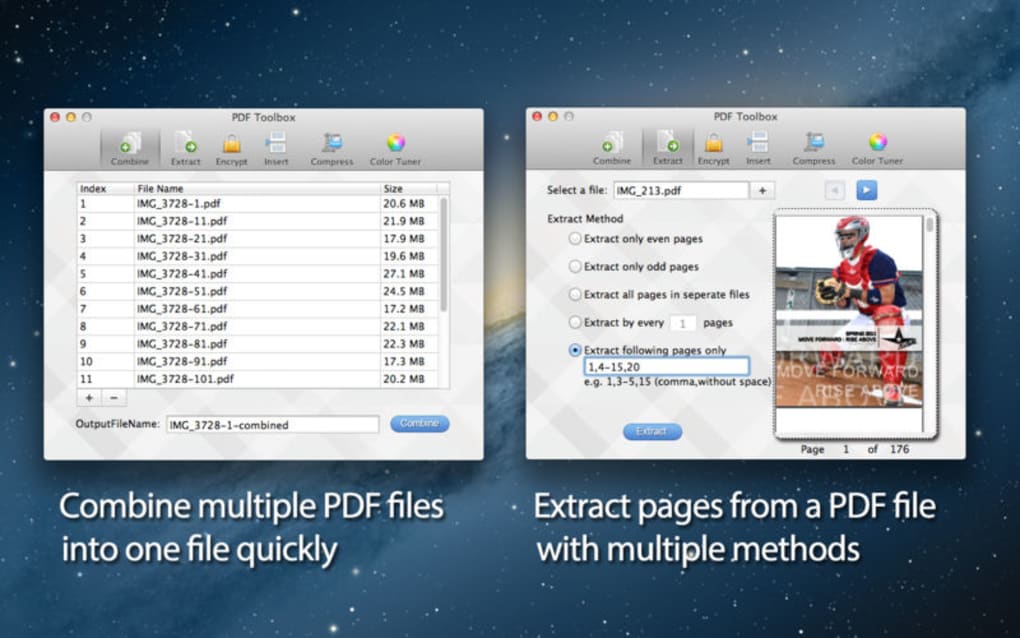
- Merge PDFs – Combine unlimited PDF files into a single, ordered document with just a few clicks.
- Extract Pages – Select individual pages or page ranges and save them as a new PDF, preserving original formatting.
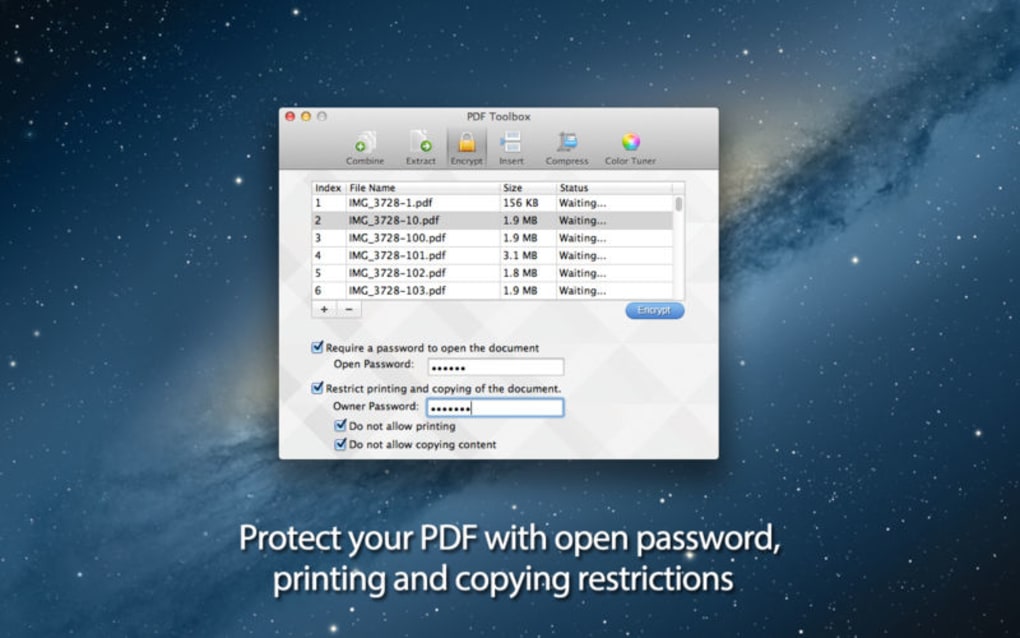
- Password Encryption – Apply strong AES‑256 encryption to protect confidential files; set owner and user passwords separately.
- Print & Editing Restrictions – Disable printing, copying, or modifying the PDF to maintain control over distribution.
- Color Tuning – Adjust brightness, contrast, and color balance for scanned PDFs, improving readability.
- File Compression – Reduce file size using built‑in compression; ideal for emailing large reports.
- Batch Processing – Automate repetitive tasks by adding multiple files to the queue and applying the same operation to all.
- Preview Window – Real‑time visual feedback before saving ensures you never lose a page unintentionally.
Beyond the listed functions, PDF Toolbox supports drag‑and‑drop from Windows Explorer or macOS Finder, making the workflow almost frictionless. The software also includes a handy “Recent Files” list, allowing you to reopen the last edited PDFs instantly. While it does not boast OCR (optical character recognition) or advanced form‑filling capabilities, the core toolbox—merging, extracting, encrypting, and compressing—covers the most common user scenarios. Users who require extensive annotation or digital signing may need a supplemental app, but for the majority of day‑to‑day PDF tasks, PDF Toolbox provides a reliable, secure, and free solution.
Installation, Usage & Compatibility
Downloading PDF Toolbox is straightforward. Visit the official website, click the “Download for Windows” or “Download for macOS” button, and the installer (a .exe for Windows or .dmg for macOS) will start automatically. The installer size is under 25 MB, ensuring a quick download even on slower connections. After the download completes, run the installer and follow the on‑screen prompts: accept the license agreement, choose an installation folder (the default location works for most users), and click “Install.” A short progress bar displays the installation status, and the process finishes in under a minute on modern hardware.
Once installed, launching PDF Toolbox opens the main dashboard where all tools are represented by large icons. To merge PDFs, simply drag the files into the “Merge” window, arrange them in the desired order, and click “Combine.” The merged file can be saved to any location, and a log file records the operation for future reference. Extracting pages follows a similar pattern: drop a PDF, specify page numbers, and click “Extract.” For encryption, select the PDF, enter a user password and an optional owner password, choose the encryption level, and confirm. The software then creates a secured copy while preserving the original.
Supported operating systems:
- Windows 10, Windows 11 (64‑bit)
- macOS 10.15 Catalina and later (Intel & Apple Silicon)
PDF Toolbox does not currently offer native Android or iOS versions; however, the Windows and macOS builds run smoothly on most modern laptops and desktops. System requirements are modest: a dual‑core CPU, 2 GB RAM, and 100 MB of free disk space. The application is signed with a digital certificate, ensuring that the download is secure and free from tampering. Regular updates are released quarterly, bringing minor bug fixes, UI refinements, and occasional new features such as additional compression presets.
Pros, Cons, FAQ & Final Thoughts
Pros
- Free to download and use with no hidden fees.
- Intuitive drag‑and‑drop interface reduces learning time.
- Comprehensive set of core PDF tools (merge, extract, encrypt, compress).
- Lightweight installer and low system resource usage.
- Secure password encryption using AES‑256.
Cons
- Compression algorithm is less aggressive than specialized PDF optimizers.
- No OCR or advanced annotation capabilities.
- Lacks mobile (Android/iOS) versions.
- Limited batch‑processing customization (no scripting).
- Interface, while clean, feels basic compared to premium competitors.
Frequently Asked Questions
Can PDF Toolbox encrypt PDFs with both user and owner passwords?
Yes. The encryption dialog lets you set a user password for opening the file and an optional owner password that controls permissions such as printing and editing.
Is there a limit to the number of PDFs I can merge at once?
There is no hard‑coded limit; the only constraints are your system’s memory and disk space. In practice, merging dozens of documents is seamless.
How does PDF Toolbox handle scanned PDFs that need color correction?
The built‑in color‑tuning tool lets you adjust brightness, contrast, and saturation for scanned pages, improving readability without altering the original file size significantly.
Can I use PDF Toolbox on a Mac with Apple Silicon?
Yes. The macOS version includes native support for both Intel and Apple Silicon processors, delivering comparable performance on M1/M2 chips.
Is the software regularly updated for security patches?
Updates are released roughly every three months, focusing on security, bug fixes, and occasional feature enhancements to keep the tool reliable.
Conclusion & Call to Action
PDF Toolbox delivers exactly what its name promises: a straightforward toolbox for the most common PDF tasks. While it does not attempt to replace high‑end editors with advanced annotation or OCR, its free price point, secure encryption, and easy‑to‑learn workflow make it an excellent addition to any personal or small‑business toolkit. If you frequently combine reports, protect client documents, or need a quick way to trim PDFs, give PDF Toolbox a try. Download the installer now, follow the simple setup steps, and experience a faster, more secure PDF workflow today.







